Facebook Messenger bot for stores · Automated Facebook Messenger reply system

Facebook Messenger bot for stores — turn every message into a real order

Wsali automated Facebook Messenger reply system with a Facebook Messenger bot for stores: 24/7 replies, message automation, product recommendations, and agent handoff — in one dashboard with WhatsApp and Instagram.

Facebook Messenger bot for stores and automated Facebook Messenger reply system · Wsali
  • 1.3B+Messenger users
  • <5sAutomated Facebook Messenger reply system
  • 24/7Facebook Messenger bot for stores
  • AICustom smart replies
  • 100%Unified inbox

Facebook Messenger bot for stores and automated Facebook Messenger reply system — clear operations

How a fast Messenger reply turns visitor interest into an order in your store

A Facebook ad brings the visitor… the conversation closes the sale. When a customer taps "Send Message" from your store or page, they will not wait for hours. That is where a Facebook Messenger bot for stores comes in: it receives the message instantly, replies to the question, and protects ad momentum. With Wsali's automated Facebook Messenger reply system, every chat stays in one inbox with WhatsApp and Instagram — no lost messages across apps.

Many stores connect the page then leave replies to chance. The result: cold leads and incomplete carts. The difference with a Facebook Messenger bot for stores trained on your products and prices is a clear path: greeting, recommendation, data capture, then agent handoff when needed. An automated Facebook Messenger reply system in this sense is not a generic reply; it is daily operations measured by orders, not likes.

Whether the customer comes from an organic post or a "Send Message" ad, the goal is the same: turn interest into an order. Start with an automated Facebook Messenger reply system covering frequent questions about shipping, prices, and availability, then add a Facebook Messenger bot for stores for deeper questions and budget-based recommendations. That is how the page becomes a revenue channel.

If you measure ad clicks without measuring Messenger reply speed, you see only half the picture. A Facebook Messenger bot for stores closes the post-click gap, and an automated Facebook Messenger reply system gives you a clear trail: chat started, intent clarified, and an order completed or handed to an agent at the right time.

In Saudi Arabia and the Gulf, many stores rely on Facebook and Messenger as a support and sales channel. The operational difference appears when a Facebook Messenger bot for stores meets a ready team inside an automated Facebook Messenger reply system: evening messages are not lost, the customer is not asked twice, and ad spend is not left without follow-up.

Start with one clear scenario: greeting, product question, then a purchase link or agent handoff. After a week, review frequent questions and improve the automated Facebook Messenger reply system, and train the Facebook Messenger bot for stores on return and shipping policies. That is how the solution grows with your store instead of staying static.

Wsali brings together a Facebook Messenger bot for stores and an automated Facebook Messenger reply system in one dashboard with WhatsApp and Instagram: Round Robin routing, customer tags, and first-reply-time reports. The result for your store is not only a faster reply, but a shorter sales path from first message to order close.

Why do you need a Facebook Messenger bot for stores?

Because a store visitor expects a fast reply inside Messenger. A Facebook Messenger bot for stores catches the message instantly, reduces post-ad leakage, and raises the chance of completing the order before the customer moves to a faster competitor.

What is the benefit of an automated Facebook Messenger reply system?

An automated Facebook Messenger reply system unifies greeting, keyword replies, menus, and business hours. Instead of manually answering every repeated question, your team handles only exceptions from a measurable dashboard.

Facebook Messenger bot for stores and Facebook ads

A customer who taps "Send Message" on your ad enters the Facebook Messenger bot for stores directly via an automated Facebook Messenger reply system. Fast reply here protects ad spend and turns the click into a closable conversation.

Automated Facebook Messenger reply system with WhatsApp and Instagram

A customer may start on Messenger and continue on WhatsApp. Wsali's automated Facebook Messenger reply system puts channels in one inbox so the agent keeps context without re-asking — and supports a Facebook Messenger bot for stores with the same knowledge rules.

When should you use a Facebook Messenger bot for stores?

When questions go beyond canned replies: product comparisons, budget-based recommendations, or return policy explanations. A Facebook Messenger bot for stores trained on your catalog answers in natural language and routes serious leads to your agent with a summary.

How do you measure success of an automated Facebook Messenger reply system?

Watch first-reply time, conversation close rate, and agent escalation rate. When you see where dialogue stalls, improve menus and training — and the Facebook Messenger bot for stores gets stronger week after week inside the automated Facebook Messenger reply system.

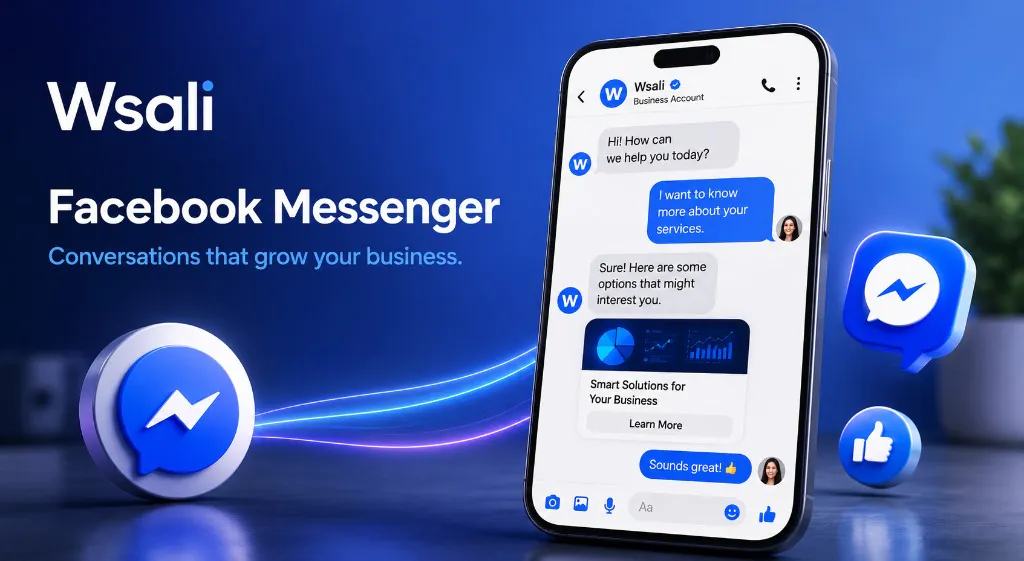
Full platform tour — 17 steps documented with screenshots

Every screenshot from the real dashboard — from page connection to a Facebook Messenger bot for stores and an automated Facebook Messenger reply system, with flows and agent handoff.

Connect Facebook Page and Messenger

From Facebook ads to sales conversation — in minutes

  • Facebook Messenger bot for stores
  • Automated Facebook Messenger reply system

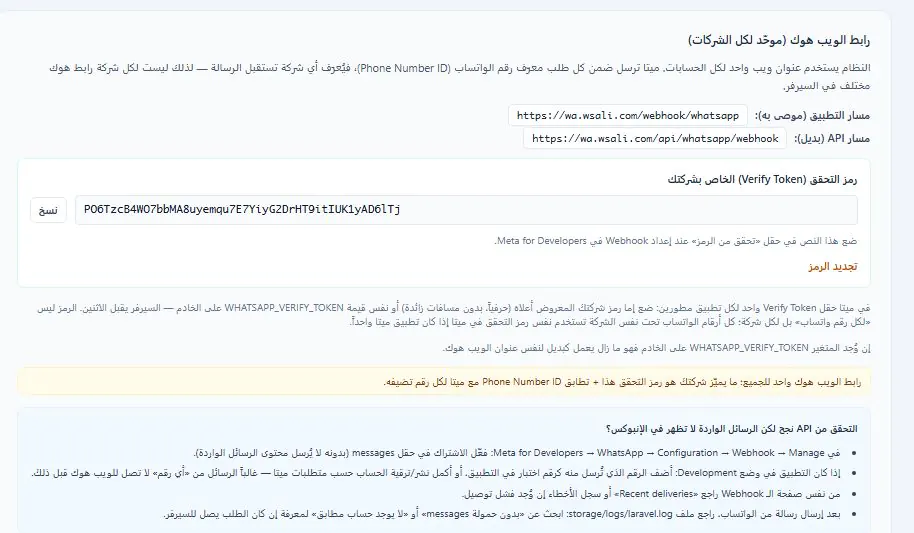
Connect your store's Facebook page — Messenger messages arrive instantly in an automated Facebook Messenger reply system with WhatsApp and Instagram. A Facebook Messenger bot for stores starts from the first message so you do not lose leads after an ad.

1

Connect Facebook Page — secure authorization via Meta

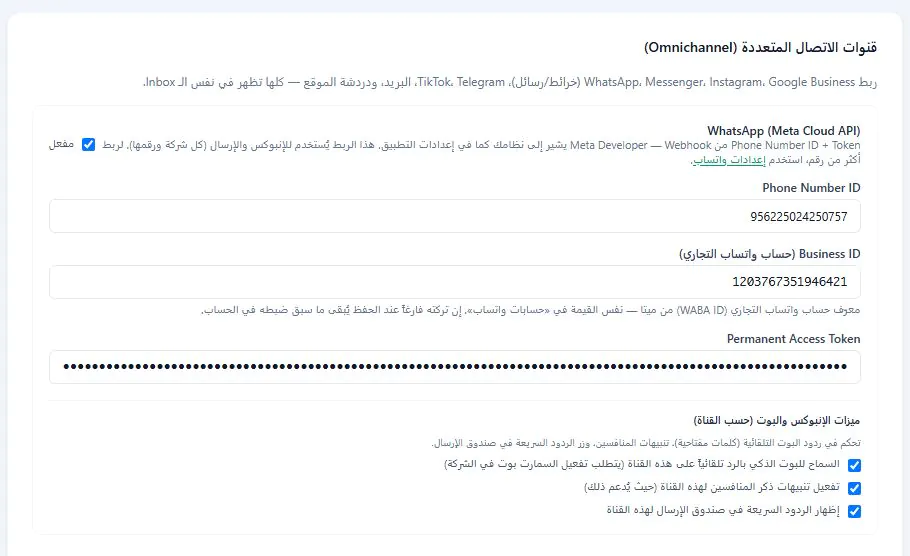
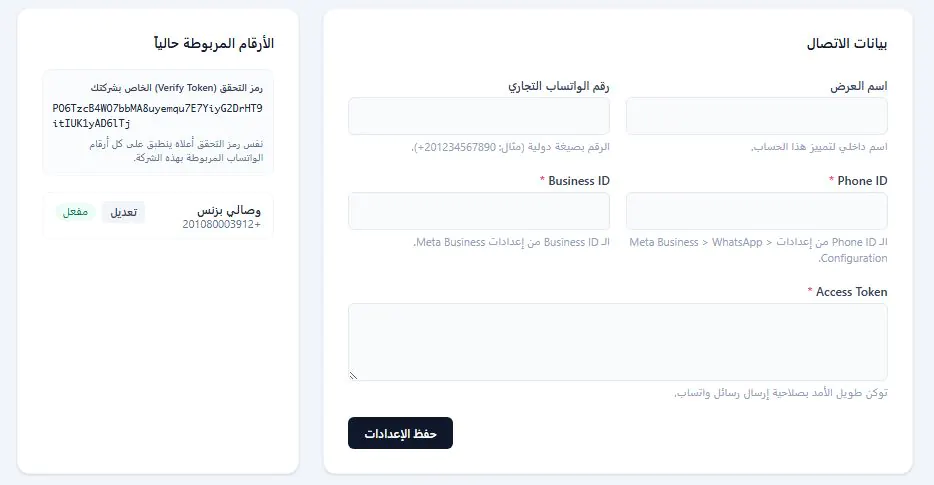
From the dashboard, choose Connect Facebook Messenger, approve permissions — your official page is linked and messages start arriving in Wsali's unified inbox. Supports multiple pages for different brands or branches.

  • Official Meta Business authorization
  • Multiple Facebook Pages support
  • Instant sync of incoming messages
  • Integration with your ad campaigns
Connect Facebook page — automated Facebook Messenger reply system
2

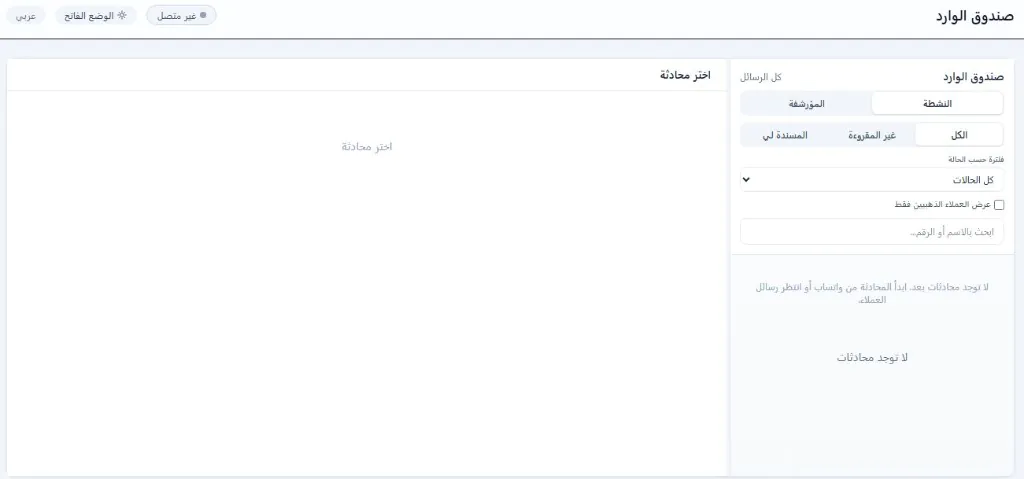
Unified inbox — Messenger with all your channels

Messenger conversations appear alongside WhatsApp, Instagram, and email on one screen. A sidebar shows customer data: orders, interests, and tags — serve them fast without switching apps.

  • All channels in one inbox
  • Messenger chats highlighted by channel color
  • Quick search and filtering
  • Instant reply or handoff to agent
Unified inbox — Facebook Messenger bot for stores

Auto-replies — full Messenger automation

Automated Facebook Messenger reply system — from greeting to closing the sale

  • Automated Facebook Messenger reply system
  • Facebook Messenger bot for stores

The core of an automated Facebook Messenger reply system: instant greeting, keyword replies, interactive menus and buttons, business hours, and agent handoff — connected to your Facebook page via Messenger API with a Facebook Messenger bot for stores.

3

Instant greeting — a professional first impression

When a customer messages for the first time on Messenger — the bot greets them automatically: "Hello! How can we help?" with buttons: "Pricing" · "Book" · "Talk to agent". An instant impression that completes what your ad campaign started.

  • Automatic greeting on first message
  • Meta-approved interactive buttons
  • Customize text and buttons
Greeting from automated Facebook Messenger reply system
4

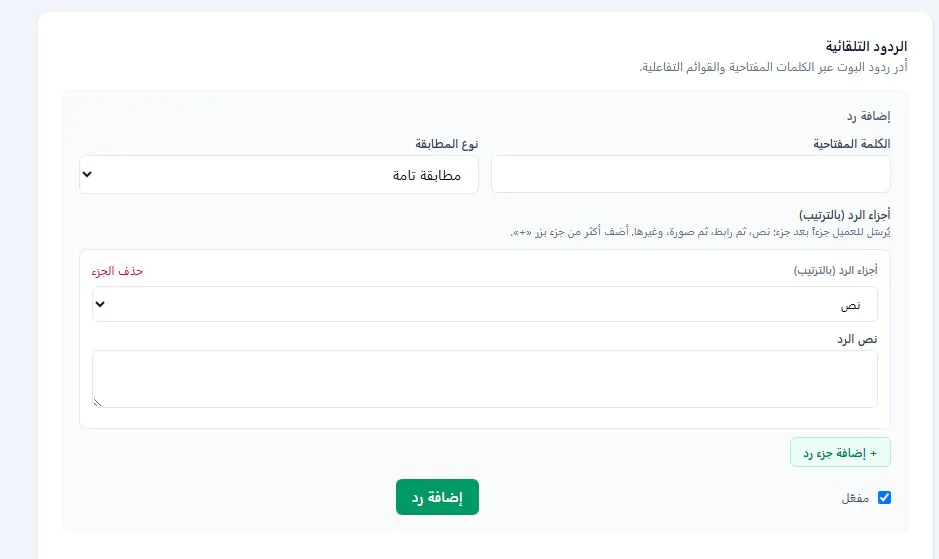
Keyword-based auto-replies

When the customer types "pricing", "location", or "appointment" — the bot replies automatically. Multi-part reply: text, then link, then product image — sent part by part like a natural conversation.

  • Exact or partial keyword match
  • Multi-part reply: text · link · image
  • Enable/disable per reply
Auto-replies — automated Facebook Messenger reply system
5

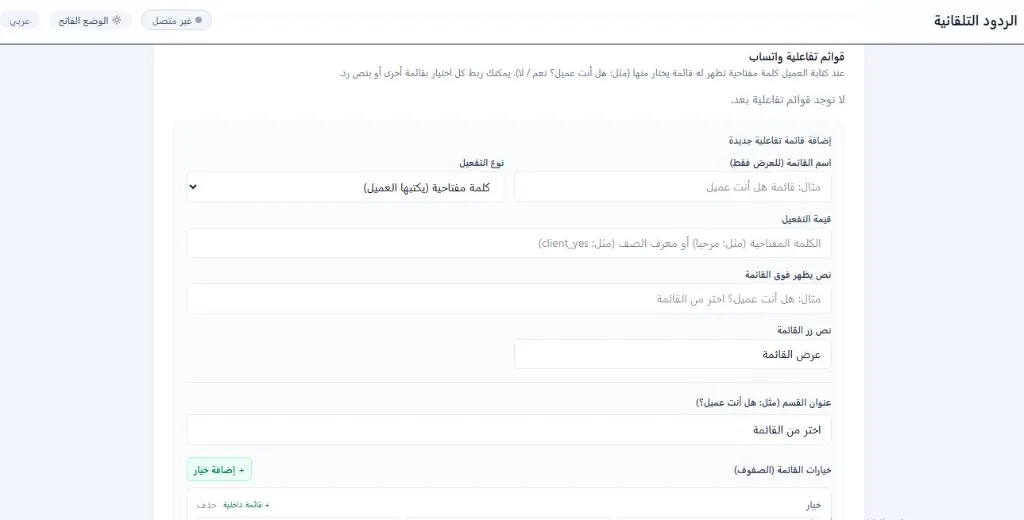
Interactive menus and buttons — conversation flow without typing

Send interactive menus: "Choose service: consultation · maintenance · quote". Each option opens a submenu or sends a ready reply — a complete path guiding the customer step by step inside Messenger.

  • Meta interactive menus
  • Nested submenus
  • Trigger by keyword or greeting
Facebook Messenger interactive menus
6

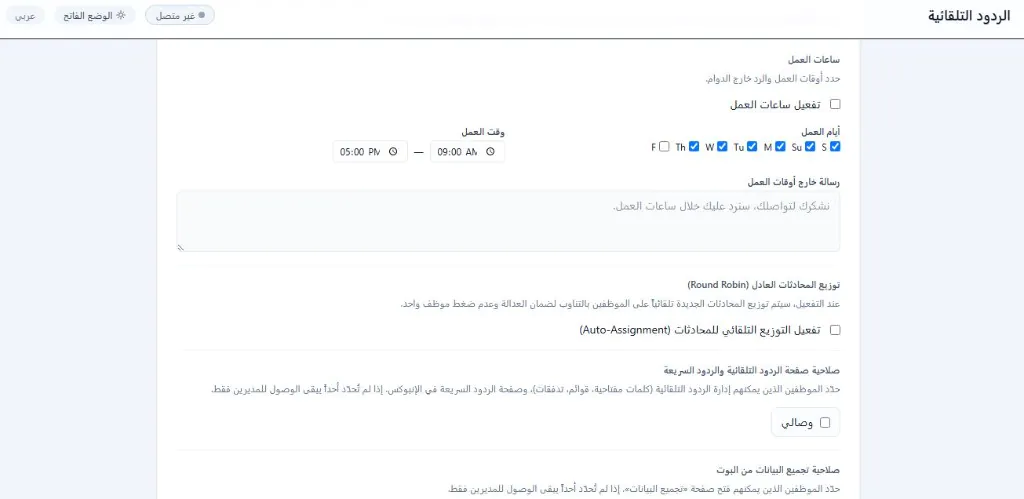
Business hours and conversation routing

Set your business days and hours. Outside business hours an automatic message is sent. Enable fair distribution (Round Robin) to assign new conversations to agents in rotation.

  • Customizable business hours
  • After-hours message
  • Fair Round Robin distribution
Messenger business hours — customer service automation
7

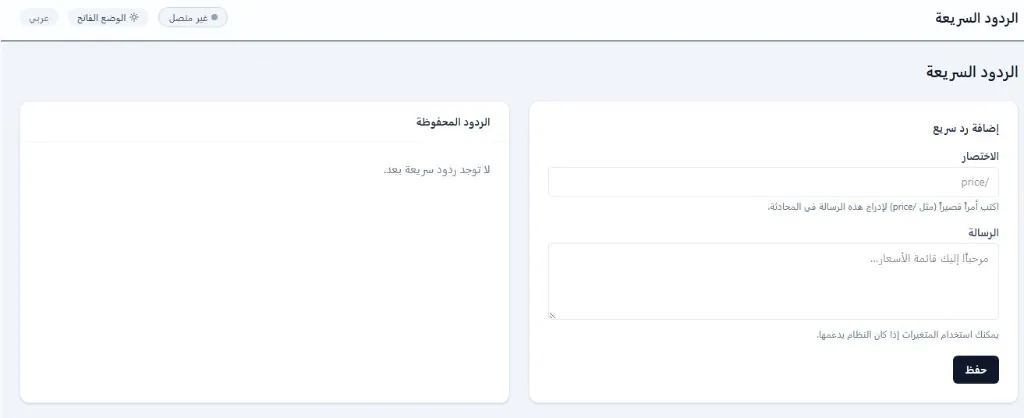
Quick replies — shortcuts for agents

Create shortcuts like /price or /location — the agent types them in a Messenger chat and the ready message is inserted instantly. Save hours on repetitive answers.

  • Custom shortcuts per message
  • Instant insert in conversation
  • Dynamic variables
Quick replies — Facebook Messenger bot for stores

Facebook Messenger bot for stores — AI replies 24/7

AI trained on your store products — sells, serves, and converts

  • Facebook Messenger bot for stores
  • Automated Facebook Messenger reply system

Not just canned replies — a Facebook Messenger bot for stores that learns from your website and products. Answers automatically, recommends products, and collects customer data inside an automated Facebook Messenger reply system — around the clock.

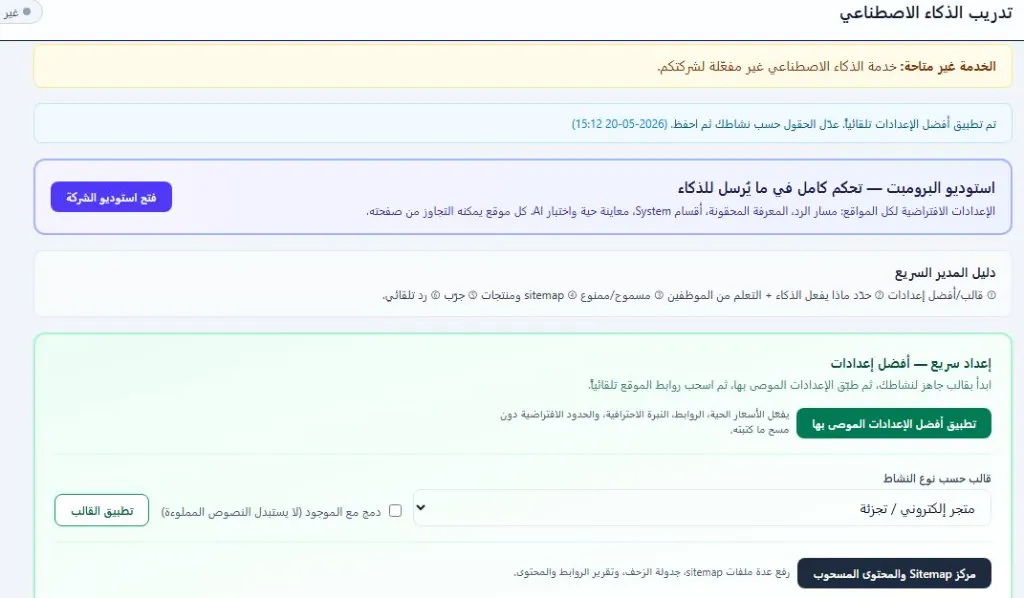
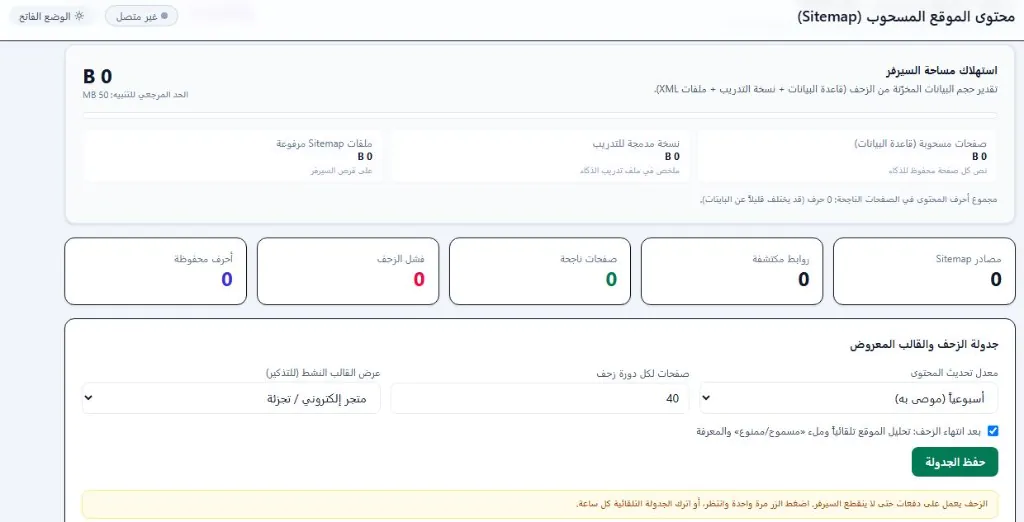
8

Train AI on your products and website

Upload a Sitemap or enter your site URLs — the bot crawls pages and extracts products, prices, and FAQs. Replies on Messenger with the same knowledge your team has — in natural language.

  • Automatic crawl from Sitemap
  • Ready industry templates
  • Control allowed topics
Train Facebook Messenger bot for stores on products
9

Smart replies — intent classification and closing sales

"What's the price of product X?" — AI answers with price and sends purchase link. "I want to book an appointment" — collects data and hands off to agent with full summary. Understands customer intent and acts human.

  • Automatic customer intent classification
  • Send product links and images
  • Hand off to agent when needed
Facebook Messenger bot for stores replies in the conversation

Rich media — images, video, and files

Send your catalog and receive customer requests inside the chat

  • Facebook Messenger bot for stores
  • Messenger catalog

Messenger supports images, video, and files — Wsali uses this fully: send product photos, PDF catalogs, and explainer videos. Customers browse and order without leaving the chat.

10

Send product images and catalogs

From the chat or via bot — send high-quality product images. AI recommends the right product and sends its image automatically when asked. Full catalog inside Messenger.

  • Images · video · PDF files
  • Automatic send from bot
  • Preview before agent sends
Send product images via Facebook Messenger bot for stores
11

Receive customer requests with media

The customer sends a photo of the product they want, or a screenshot of their issue — it arrives in your inbox with full conversation context. Never miss a detail.

  • Receive images and video from customer
  • Save media in customer profile
  • Instant reply or route to technician
Receive customer media in Messenger

Human agent handoff — seamless transition

From AI to your agent without the customer feeling a break

  • Automated Facebook Messenger reply system
  • Human Handoff

When the customer needs a human touch — the Facebook Messenger bot for stores hands the chat to your agent with a full summary inside an automated Facebook Messenger reply system. The agent continues where the bot stopped.
12

Smart handoff with conversation summary

AI detects a serious customer or "talk to agent" request — transfers instantly with summary: name, interest, last 5 messages, and tags. Agent starts confidently without re-asking.

  • Automatic conversation summary
  • Handoff by button or smart rule
  • Instant agent notification
Transfer Messenger chat to human agent
13

Multi-agent team — Round Robin and permissions

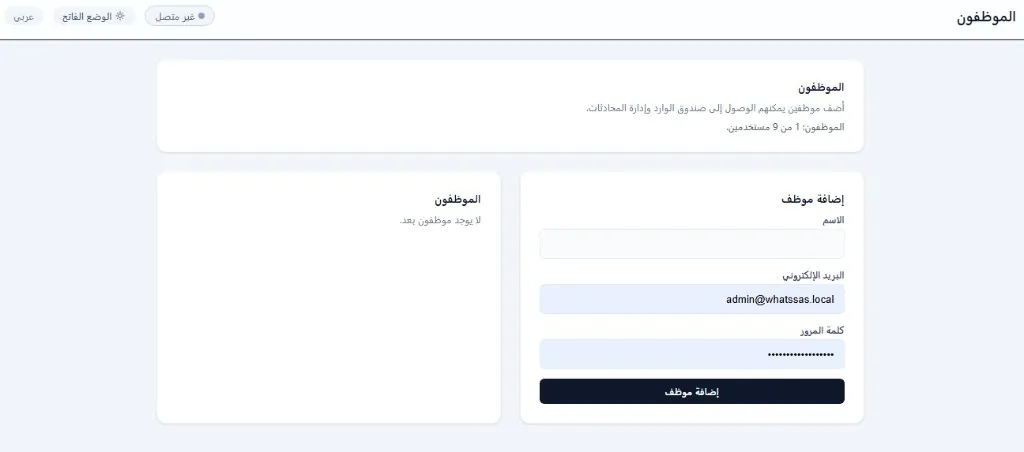
Add agents with specific permissions. New conversations are distributed in rotation. Manager sees everything — agents see only what's assigned to them.

  • Multiple agent accounts
  • Custom permissions
  • Fair Round Robin distribution
Messenger team management — conversation routing

Customer organization — tags, fields, and CRM

Classify Messenger customers for targeted campaigns

  • Automated Facebook Messenger reply system
  • Messenger CRM

Every Messenger customer is recorded in CRM: tags, custom fields, channel source, and conversation history — for targeted campaigns later on any channel.

14

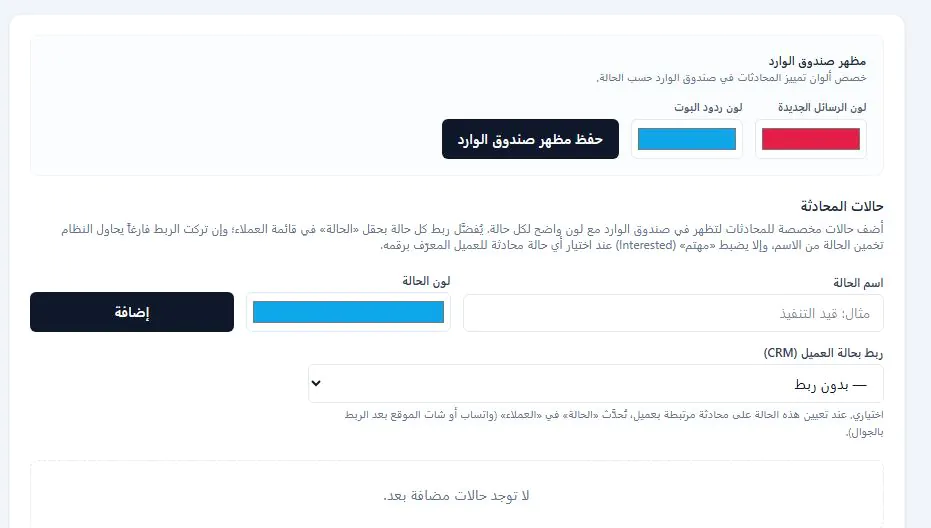
Conversation tags — instant classification

During the chat, add tags: "VIP customer", "interested in product X", "needs follow-up". Tags simplify filtering and targeted campaigns.

  • Add tags during conversation
  • Classify customers by interest
  • Filter conversations by tags
Messenger conversation tags — customer classification
15

Custom fields and unified customer profile

Create fields: city, customer source, expected order value. They appear in the customer profile and are used for filtering — whether they contacted via Messenger, WhatsApp, or Instagram.

  • Text, number, and date fields
  • Unified customer profile across all channels
  • Export and filter by fields
Custom fields for Messenger customers

Conversation flows — visual paths

Design the customer journey from first message to closing the sale

  • Automated Facebook Messenger reply system
  • Facebook Messenger bot for stores

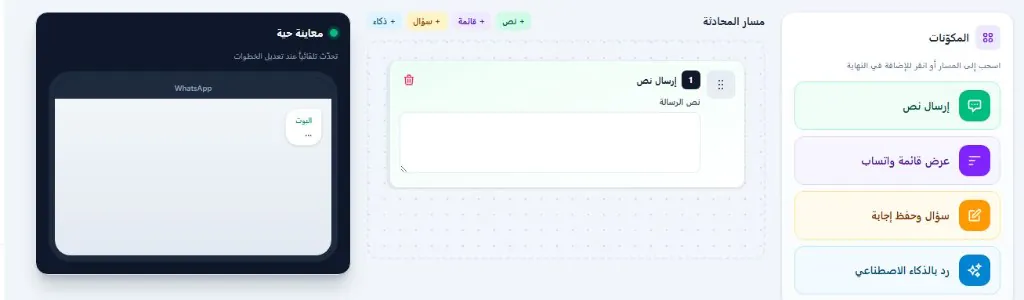
Visual flow studio for an automated Facebook Messenger reply system: drag and drop nodes — question, condition, reply, handoff. Build booking, support, and sales paths, completed by a Facebook Messenger bot for stores when needed.

16

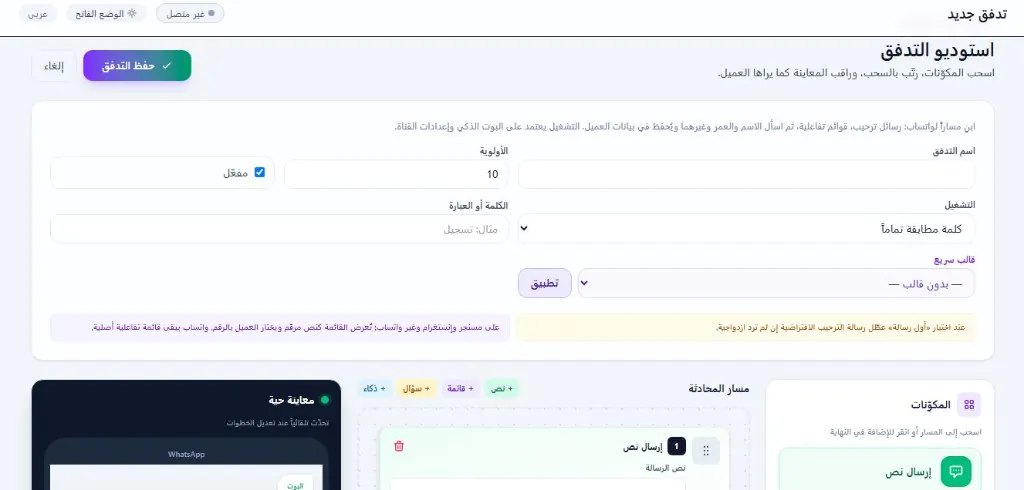
Flow studio — build a visual path

Design a flow: "Are you an existing customer?" → Yes: "What's your order number?" → No: "What service interests you?". Each node runs automatically in the Messenger chat.

  • Visual drag-and-drop editor
  • Multiple conditions and branches
  • Link to replies and handoff
Messenger flow studio — build conversation path
17

Ready templates — booking · support · sales

Start from a ready template: book appointment, request quote, technical support, order follow-up. Customize for your business and launch in minutes.

  • Templates by industry
  • Full customization
  • One-click activation
Ready Messenger flow templates

How does the Facebook Messenger bot for stores work? — From message to order

Four steps inside an automated Facebook Messenger reply system

  1. 1

    Incoming message from Facebook

    من إعلان · منشور · صفحة — فوراً في صندوق وصالي

  2. 2

    Automated Facebook Messenger reply system or the bot replies

    Greeting · product recommendations · pricing · 24/7

  3. 3

    Hand off to agent when needed

    Conversation summary · Round Robin · seamless transition

  4. 4

    Close the sale and CRM follow-up

    Tags · fields · reports · follow-up campaigns

FAQ about Facebook Messenger bot for stores

What is Wsali's Facebook Messenger bot for stores?

A platform that connects your Facebook page and manages Messenger via an automated Facebook Messenger reply system: greeting, automation, and a Facebook Messenger bot for stores that replies, recommends, and hands off to an agent — with a unified inbox with WhatsApp and Instagram.

How do I activate an automated Facebook Messenger reply system on my page?

From the Wsali dashboard choose Connect Facebook Messenger and follow Meta authorization. After linking, messages arrive instantly and you can activate an automated Facebook Messenger reply system and a Facebook Messenger bot for stores from one dashboard.

Does the Facebook Messenger bot for stores reply automatically around the clock?

Yes. A Facebook Messenger bot for stores trained on your products and website answers automatically, shows prices and links, and hands complex cases to your team with a conversation summary inside the automated Facebook Messenger reply system.
What is the difference between an automated Facebook Messenger reply system and canned replies only?

Canned replies cover specific keywords. An automated Facebook Messenger reply system with a Facebook Messenger bot for stores understands broader intent, recommends products, and collects data — while the unified inbox organizes the team and measurement.

Does the Facebook Messenger bot for stores work with Facebook ads?

Yes. When someone taps "Send Message" on the ad, the automated Facebook Messenger reply system receives them instantly, and the Facebook Messenger bot for stores replies based on your setup — from ad to conversation to order.

Does an automated Facebook Messenger reply system suit Salla and Shopify stores?

Yes. A Facebook Messenger bot for stores is trained on your store URLs and products, while an automated Facebook Messenger reply system organizes greeting, menus, and handoff — suitable for ecommerce stores selling via Facebook.

Can I manage a team with a Facebook Messenger bot for stores?

Yes. An automated Facebook Messenger reply system supports Round Robin routing, permissions, and tags, while the Facebook Messenger bot for stores covers repetitive questions and escalates what needs a human touch.

Is the service suitable for the Saudi and Gulf market?

Yes. Arabic interface and local support, with a Facebook Messenger bot for stores and an automated Facebook Messenger reply system built for stores and businesses that sell through content and ads in the region.

Ready to activate the Facebook Messenger bot for stores?

Try an automated Facebook Messenger reply system — free demo for your store